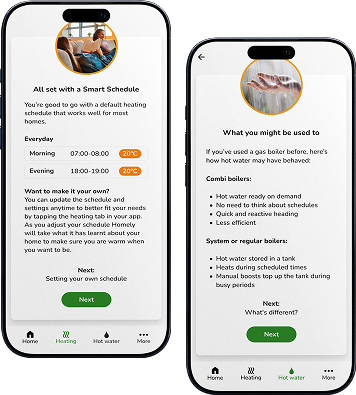




There are two ways to get Homely in your home. If you already have an installer, ask them to add it to your next job. If you’re starting from scratch, our EDF partnership gets you a heat pump and Homely together.
If you’re getting a heat pump installed, or already have one, any registered Homely installer can fit the hub in under 45 minutes. Most installers are happy to add it – especially if you mention it upfront.
Through our partnership with EDF, you can get a fully installed heat pump with Homely included — arranged for you by a trusted MCS-certified installer, with no obligation to proceed.
Available on iOS and Android. Your installer will walk you through the initial setup – it takes about five minutes.
Tell Homely your preferred temperature and connect your energy tariff. It starts optimising immediately.
From here, Homely manages your heat pump automatically. Check in via the app whenever you like, or just leave it to run.
| Cookie | Duration | Description |
|---|---|---|
| cookielawinfo-checkbox-analytics | 11 months | This cookie is set by GDPR Cookie Consent plugin. The cookie is used to store the user consent for the cookies in the category "Analytics". |
| cookielawinfo-checkbox-functional | 11 months | The cookie is set by GDPR cookie consent to record the user consent for the cookies in the category "Functional". |
| cookielawinfo-checkbox-necessary | 11 months | This cookie is set by GDPR Cookie Consent plugin. The cookies is used to store the user consent for the cookies in the category "Necessary". |
| cookielawinfo-checkbox-others | 11 months | This cookie is set by GDPR Cookie Consent plugin. The cookie is used to store the user consent for the cookies in the category "Other. |
| cookielawinfo-checkbox-performance | 11 months | This cookie is set by GDPR Cookie Consent plugin. The cookie is used to store the user consent for the cookies in the category "Performance". |
| viewed_cookie_policy | 11 months | The cookie is set by the GDPR Cookie Consent plugin and is used to store whether or not user has consented to the use of cookies. It does not store any personal data. |